When I started venturing from software to hardware synthesizers I didn’t know what I was doing, nor did I know what I wanted to do with them. I just wanted something more tactile to play and learn with. … and it had to be analog, for soem reason I had at the time. So I started building DIY kits and learning. Originally I treated it like an instrument. I could record parts of a song into a DAW and go from there. But the more that I played with it, the more I just wanted to play with it, to get a solid groove going and just ride it.
Years ago I bought a VOX ToneLab LE to augment the collection of dedicated guitar effects that I was using. Fast forward a lot of years, I have sold nearly all my original guitar pedals but I still have two: my original CryBaby (I mean, how could I part with it?!?) and the ToneLab LE (because no one wanted to buy it).
The ToneLab however has become an integral part to my digital workflows because apart from being a multi-fx pedal it also has MIDI in/out and can be wired up to control all manner of things. I routinely use it with Bias FX on an iPad as a mobile guitar rig or connected to Bitwig to control effects with the expression pedal.
When I started venturing from software to hardware synthesizers I didn’t know what I was doing, nor did I know what I wanted to do with them. I just wanted something more tactile to play and learn with. … and it had to be analog, for soem reason I had at the time. So I started building DIY kits and learning. Originally I treated it like an instrument. I could record parts of a song into a DAW and go from there. But the more that I played with it, the more I just wanted to play with it, to get a solid groove going and just ride it.
Turns out that isn’t quite so easy to do when you have a small handful of exclusively analog modules ¯\(ツ)/¯. So I expanded and refined my viewpoint, and fully embraced the wonderland that is combining analog and digital modules all in one rig.
This here is a raw unprocessed snippet of some fun I was having the other evening playing with Basilimus Iteritas Alter, Mimetic Digitalis, Music Thing Radio Music and Mutable’s fabulous Beads.
Tonelab LE as a MIDI Controller
Years ago I bought a VOX ToneLab LE to augment the collection of dedicated guitar effects that I was using. Fast forward a lot of years, I have sold nearly all my original guitar pedals but I still have two: my original CryBaby (I mean, how could I part with it?!?) and the ToneLab LE (because no one wanted to buy it).
The ToneLab however has become an integral part to my digital workflows because apart from being a multi-fx pedal it also has MIDI in/out and can be wired up to control all manner of things. I routinely use it with Bias FX on an iPad as a mobile guitar rig or connected to Bitwig to control effects with the expression pedal.
But it doesn’t work perfectly straight out of the box since it will you will only get MIDI for program changes and the expression pedal. I am documenting this here mainly for myself—for the next time I reset it—but maybe it’ll help someone else out.
Program vs Effects Modes
First off it helps to understand the two modes and what types of MIDI signals each will send.
Program Mode: this is where you can select between different preconfigured effects stored in the banks. This is the default mode and the 1-4 toggles will show red LEDs in this mode. In this mode the 1-4 toggles will only send program change codes.
Effect Mode: This lets you toggle individual effects of the currently selected program. To enter Effects mode press and hold the “Bank Up” toggle and you will see the LEDs turn green. You are now in effects mode and the 1-4 toggles will send change control codes (once you enable it).
Configuring The ToneLab LE For MIDI
Out of the box you get program changes and the expression pedal but no control codes for the toggles. So you have to do a bit RTFMing to get this to work. Open the manual and start reading at page 50. :)
In short you have to: 1) enable sending CC MIDI messages, and 2) assign CC #s to the different toggles.
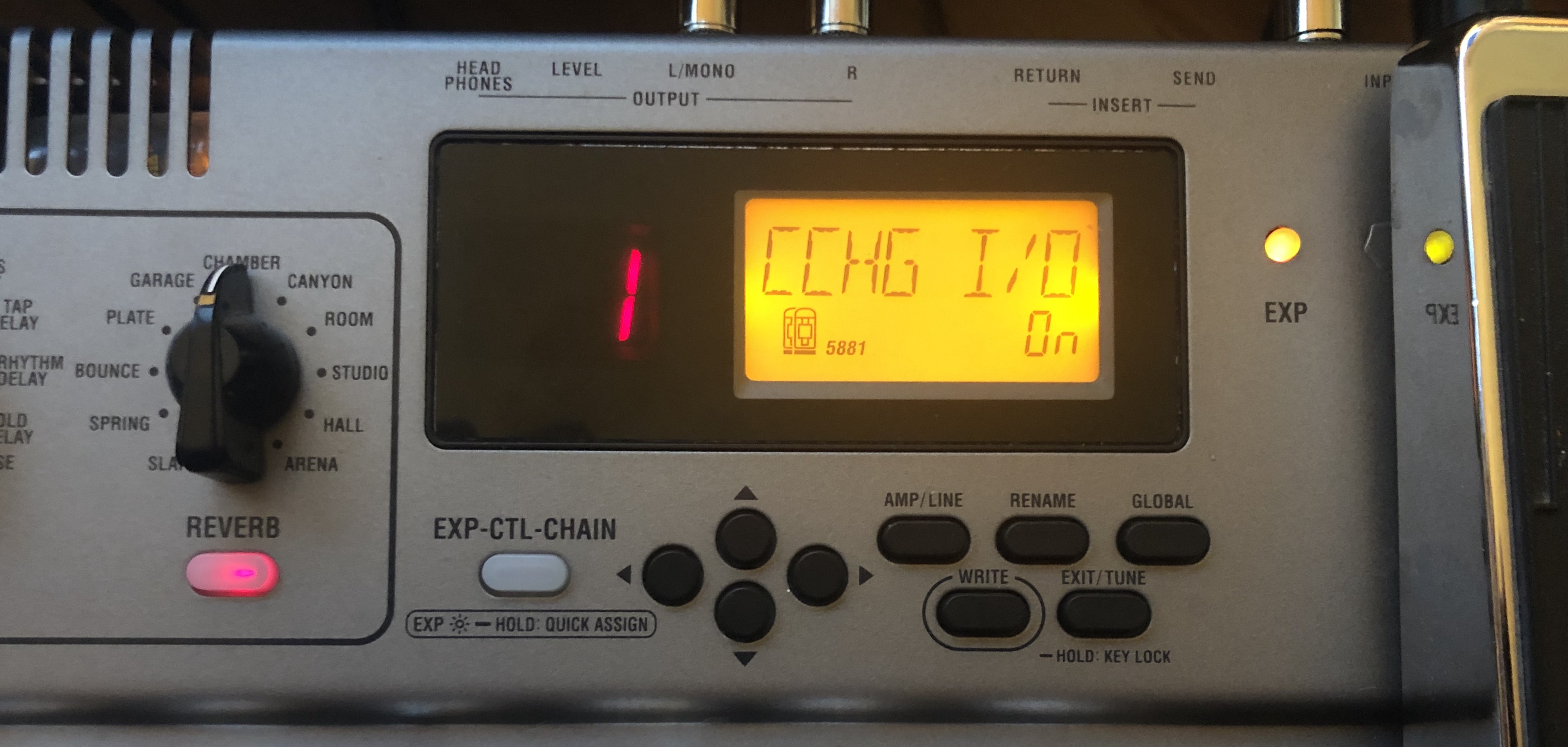
With your ToneLab on, press the global button to get into settings. Press the left (<) or right (>) arrow buttons to navigate and set CCHG I/O to on
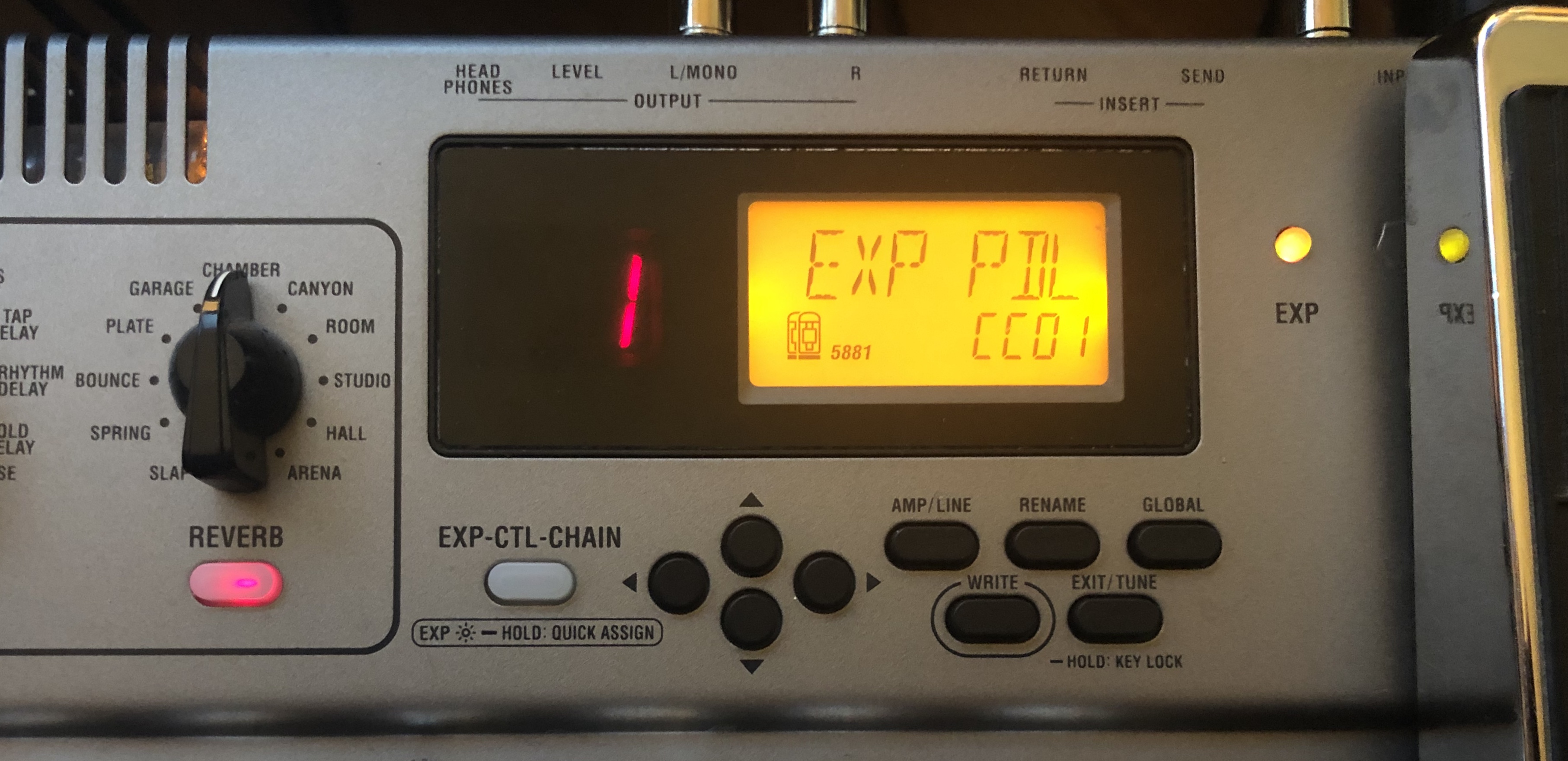
now press both the left and the right buttons at the same time (< + >) to access further parameters and set the MIDI settings for each control switch.
For reference here are my settings:
Function
Setting
Exp pedal
CC06
Ctrl
CC05
Pedal
CC01
Modulation
CC02
Delay
CC04
Reverb
CC05
Insert
CC07
Amp Ctrl
CC09
Cab Ctrl
CC10
The rest is up to you. Connect to your computer and configure your DAW or Audio app to use the MIDI controller your liking.
Projects
LiftMark
Fitness tracking app with markdown-based workout imports. Track and manage your training sessions.